Manage tournament

The tournament has been generated — and now the real management begins. Move matches, assign referees, process results and keep participants and supporters up to date via the visitor page.

Start free

Group allocation and names

Not satisfied with the automatic group allocation? Simply drag teams to another group. Also give groups and final rounds their own name that is immediately visible to participants and supporters.
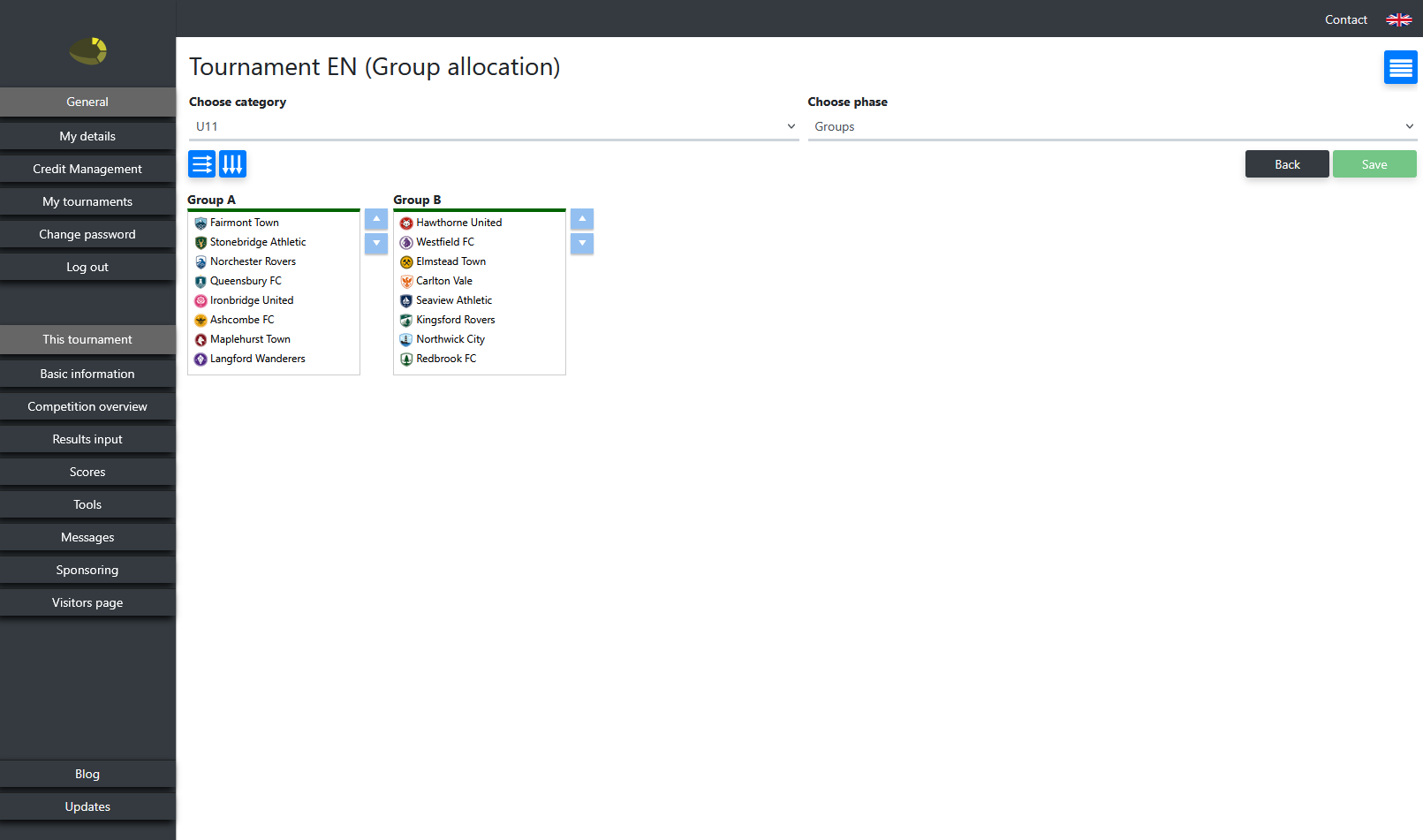
Drag and drop teams between groups — per category and phase
Custom names for groups — for example "Group North" or "Group A"
Custom names for final rounds — for example "Semi-final" or "Consolation final"
Changes immediately visible on the visitor page
Adjusting group allocation via drag and drop

Match management

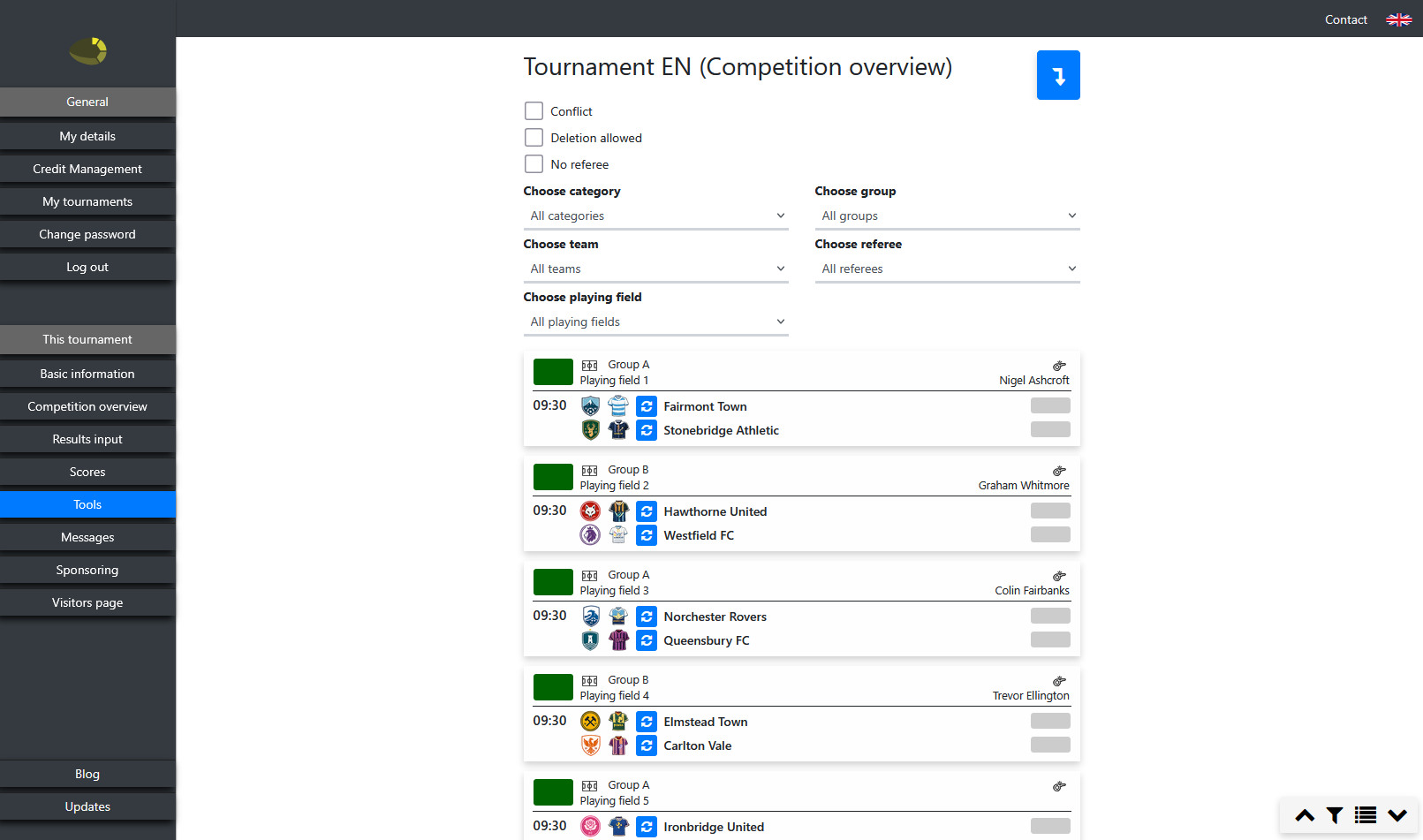
The match overview provides a clear day and field planning: the fields are shown as columns side by side, with times running vertically. At a glance you can see when and where every match or activity is scheduled.
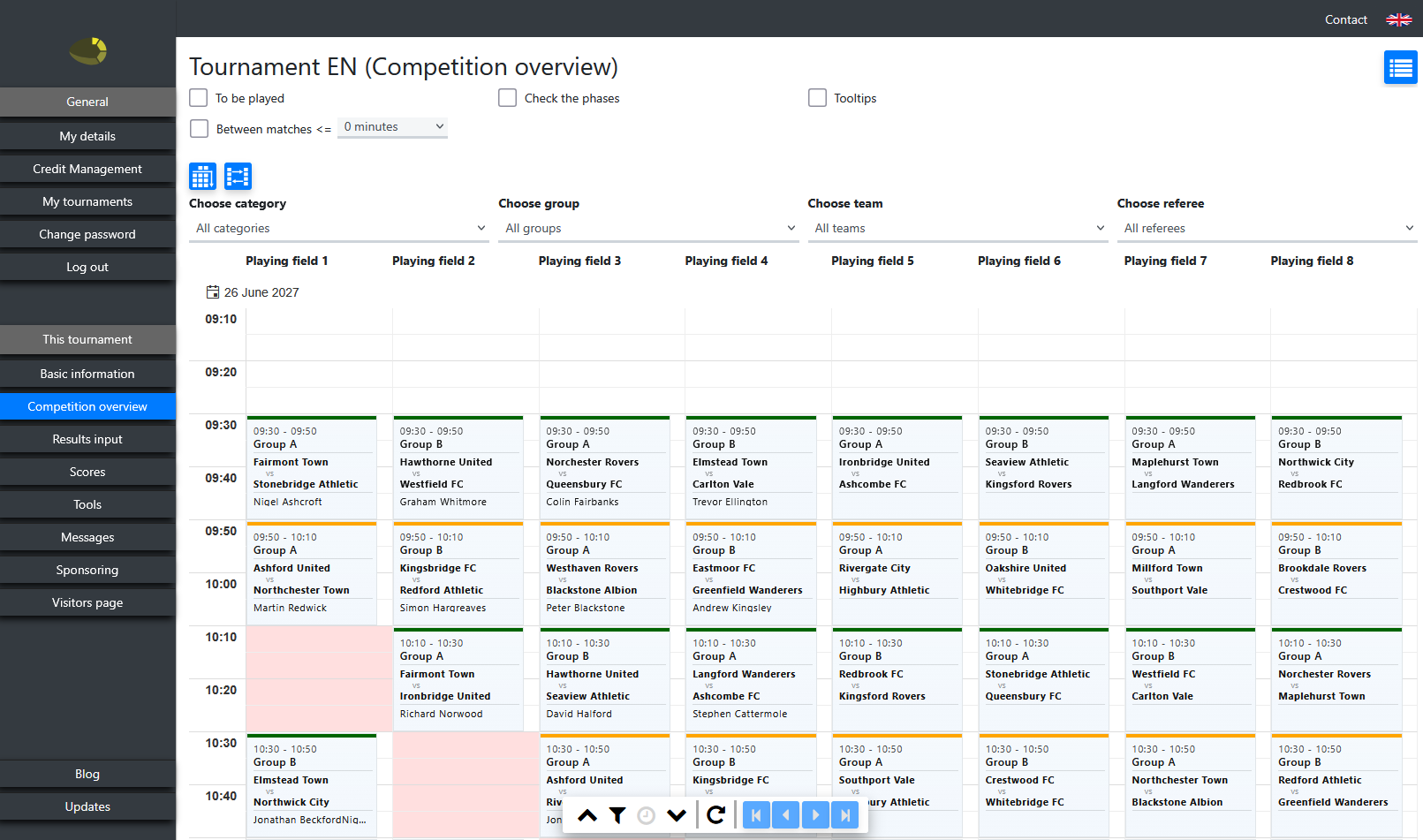
Match overview per day and field
Filter by day, category, group, field, team or referee
Check the phases — prevent finals from being played before group matches
Drag matches and activities to a different time slot or field
Move all matches from a certain time forward or backward at once
Swap matches between two fields
Check whether teams have sufficient recovery time between two matches
All match details directly editable: teams, referees, duration, field, result, fair play and cards
Activities directly editable from the overview

Assigning referees

Let the system automatically assign referees based on their availability, or set the allocation manually via drag and drop.
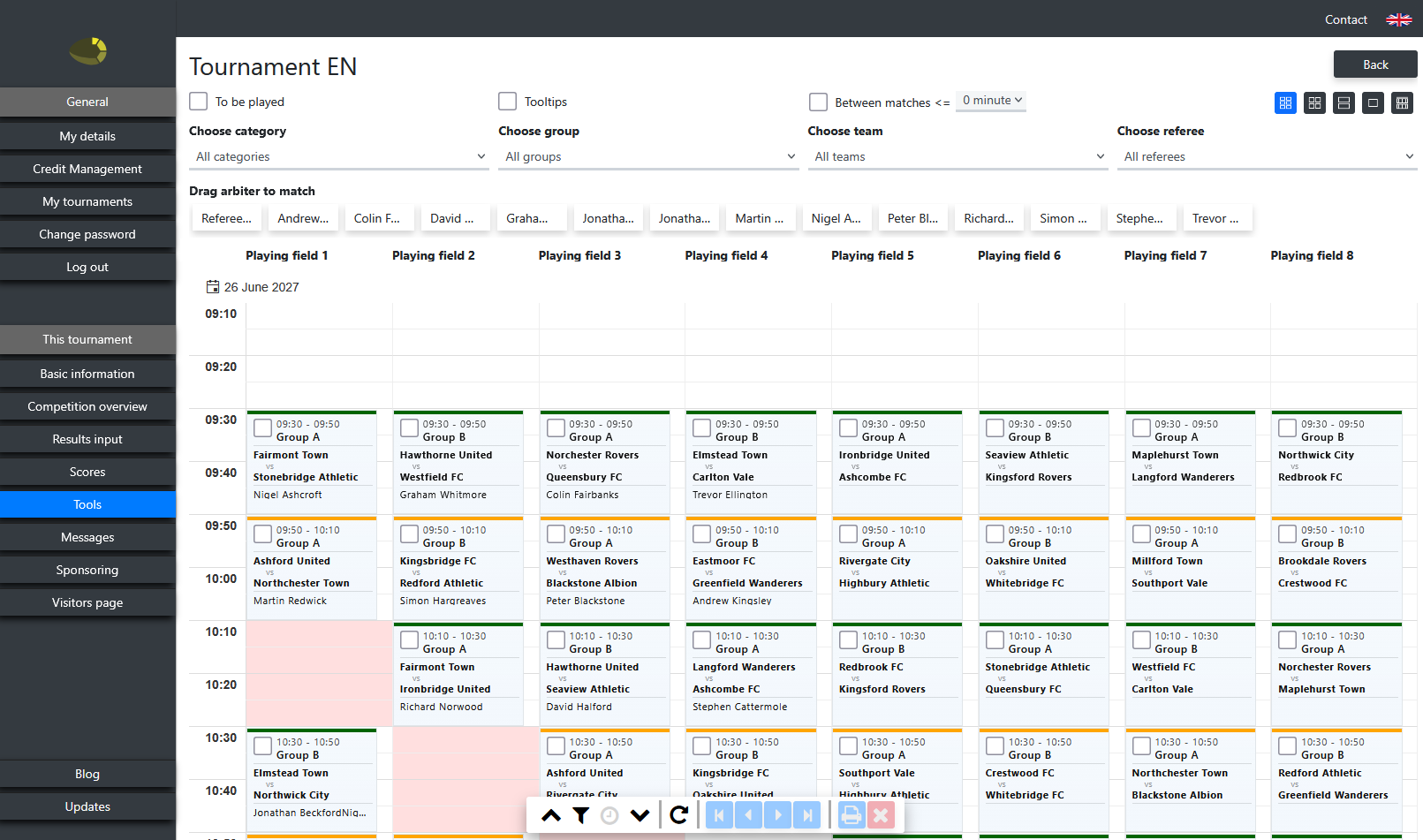
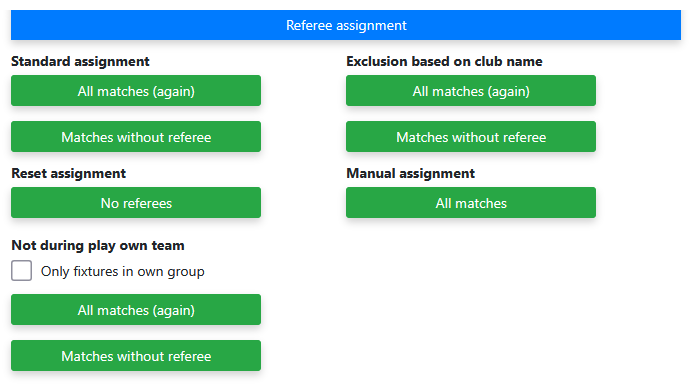
Automatic allocation based on availability and set restrictions
Reset allocation and reassign referees
Overview of matches without a referee
Use team names as referees — the system automatically assigns them, but ensures a team never officiates at their own matches or matches of their own club
Manually: drag and drop referees into matches
Read how to assign referees manually
Assigning referees in the match overview
Referee detail and availability
Kit colour check per match

Kit colour check

View per match which kit colours the teams are wearing. Are the colours too similar? Simply switch to the away kit. You decide yourself whether the kits need to be changed.

Overview of all matches with kit colours in one list
Switch to the away kit with one button — press again to return to the home kit

Reset and reallocate category

Does a team drop out, does a new team register or do you want a different tournament format after all? Reset the match schedule of the relevant category, make the changes and regenerate.
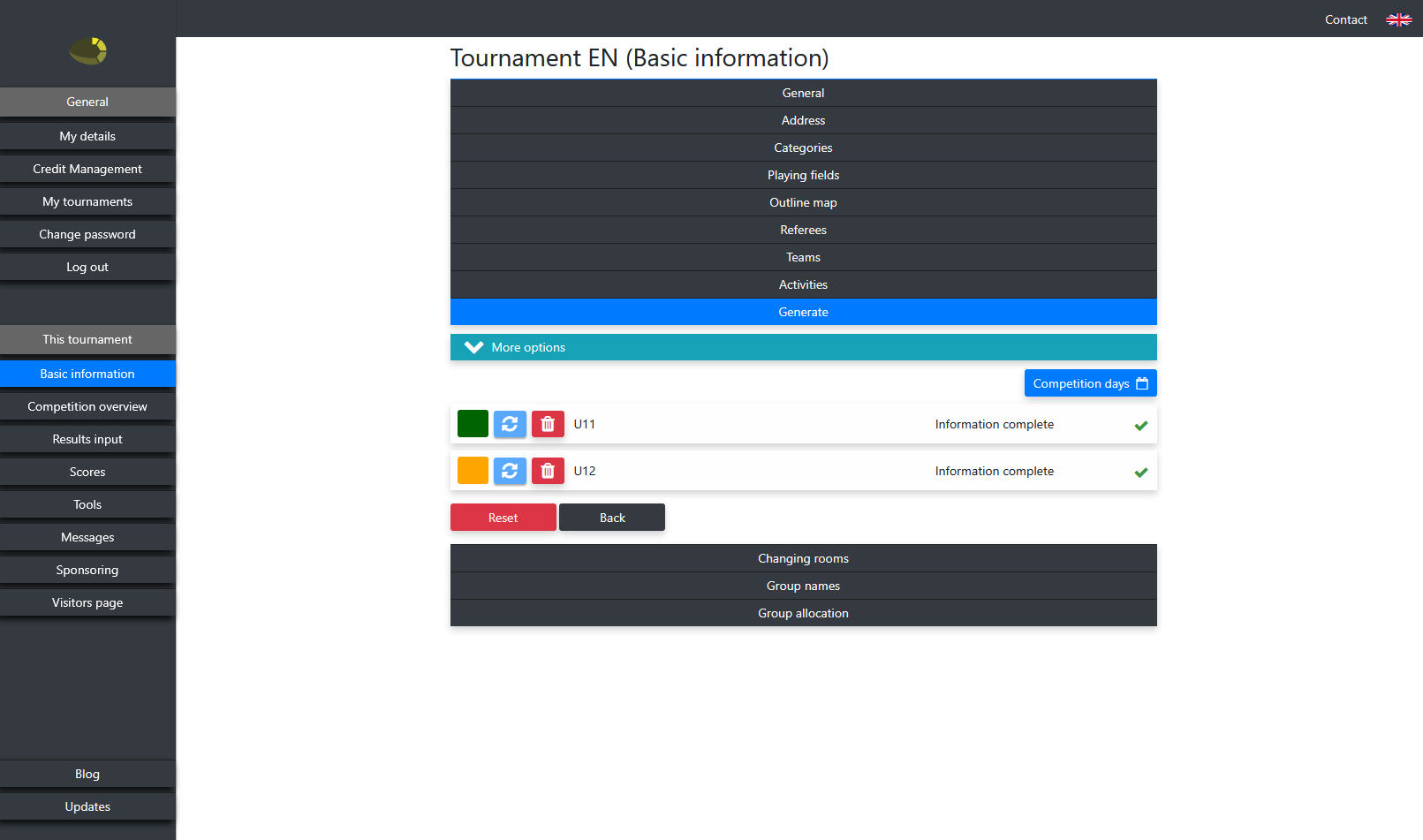
Reset match schedule per category or entire tournament
Add, remove or reallocate teams
Change tournament format or number of groups
Regenerate category — non-reset categories remain untouched
Reset and reallocate category

Entering results

Choose the entry options that best suit your tournament. From direct entry by the organiser to independent entry by participants.
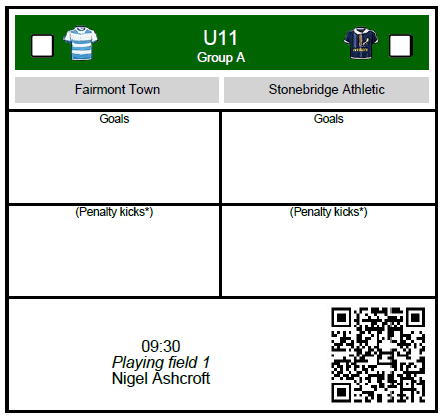
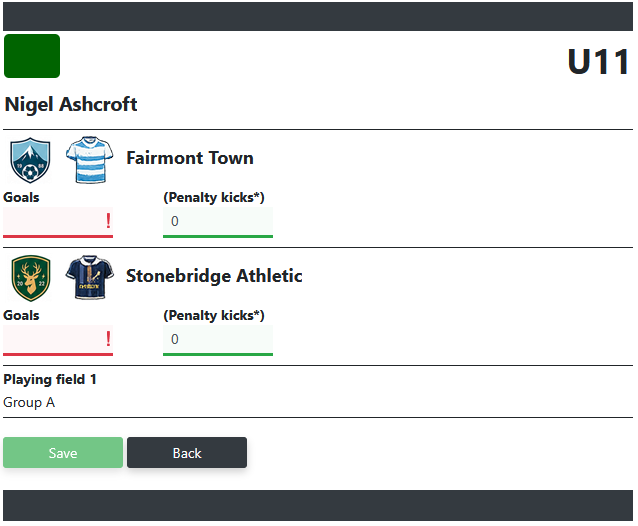
Via match slips — scan the QR code for direct entry
Via an entry page for the organiser
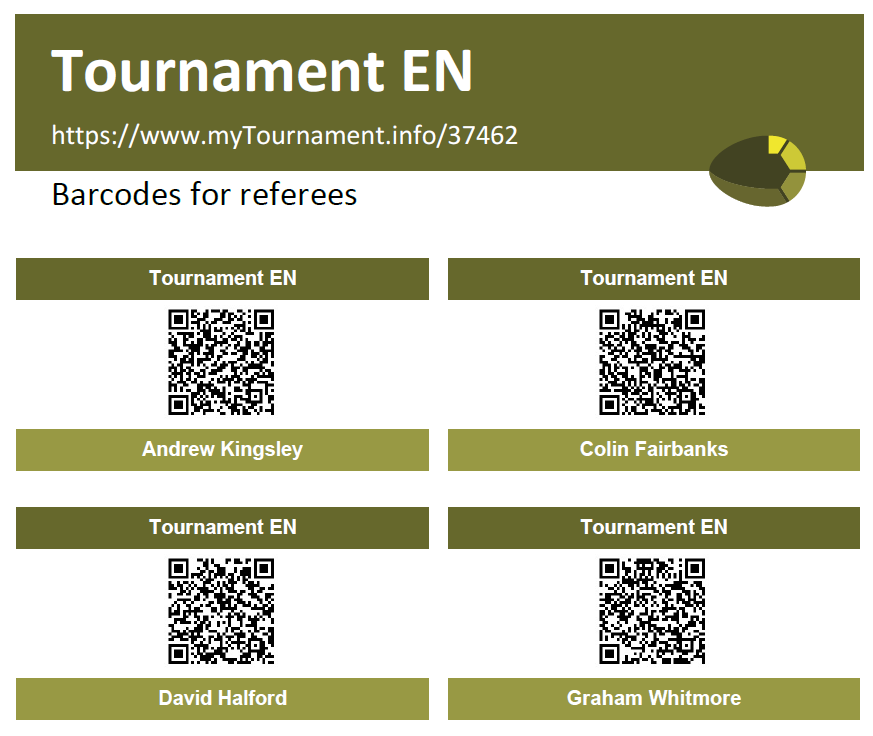
Via a personal QR code for the referee — direct access to their own matches
By the teams themselves — participants enter their own result via the visitor page
Entering result via match slip Entering result by organiser Entering result via referee QR code Entering result by participants themselves
Team manager environment

Team managers

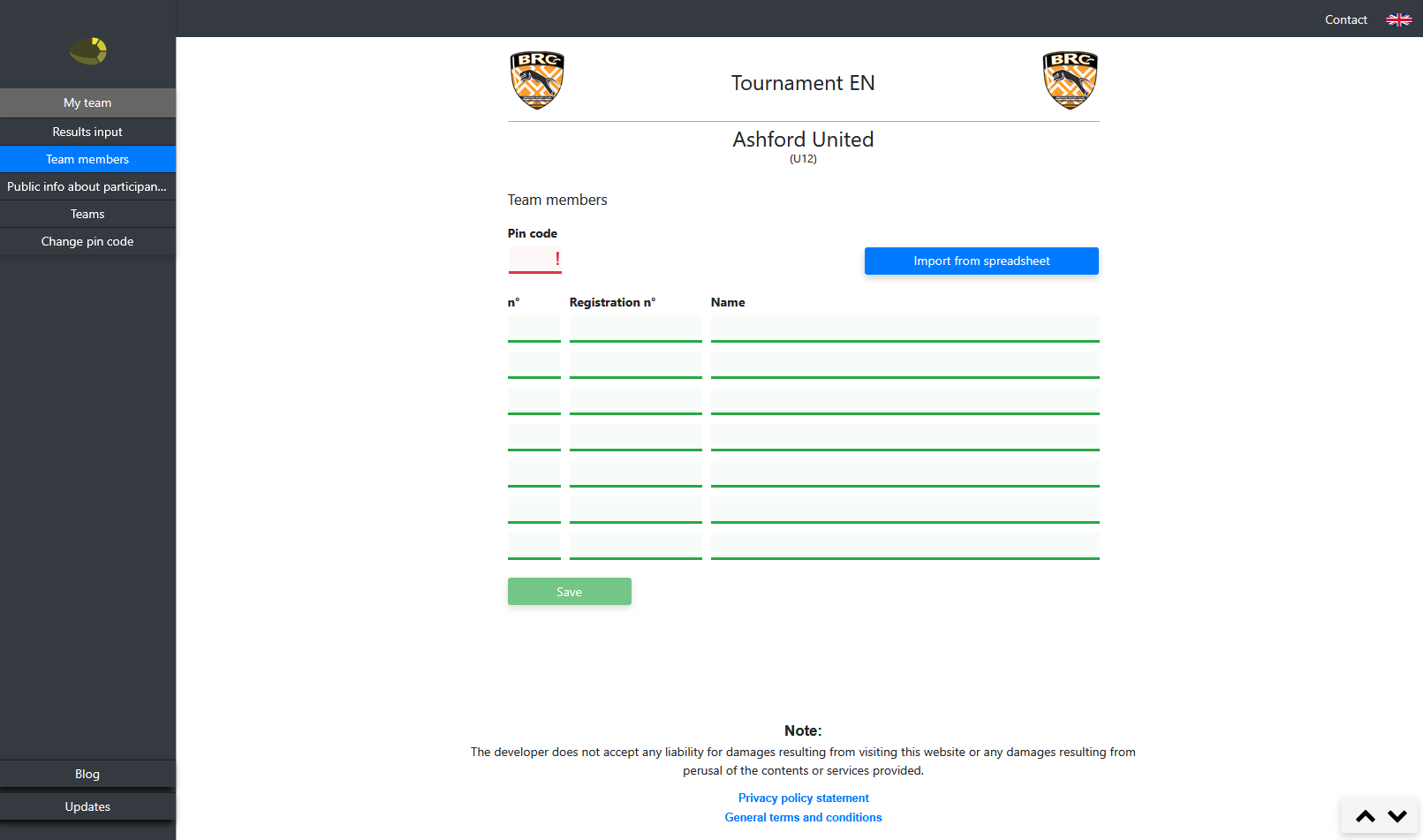
Give team managers access to their own environment where they manage their player list and enter team info. The organiser determines which information they may view.

Fill in and manage player lists per team
Report the team as present
Enter results — only when both teams have entered the same result will it be processed
Enter team info for display on the visitor page
Organiser determines whether team managers may view the team member lists of opponents or all participants

Match slips and QR codes

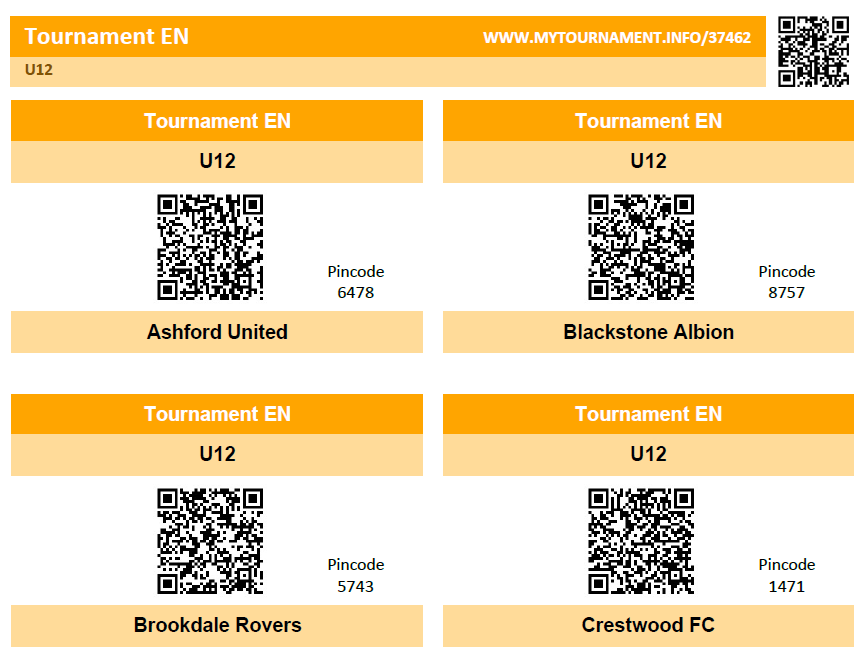
Print match slips as PDF — provided with a QR code for direct result entry. Available in four formats to suit every type of tournament.
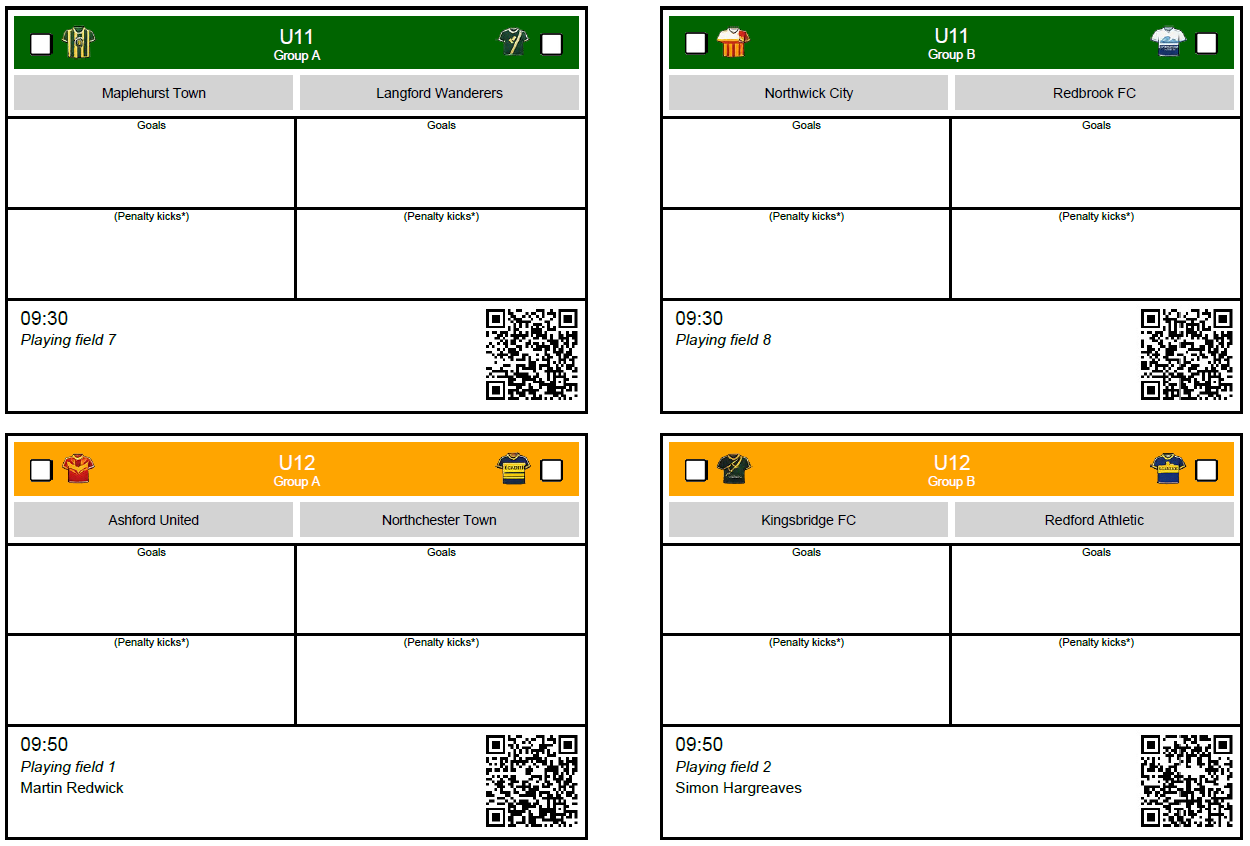
Match slips in 4 formats, printable as PDF
QR code per match for direct result entry
Team member lists of both playing teams per match
QR codes for quick access to the visitor page
Time slot per QR code configurable — prevents abuse by entry after the match has ended
Match slip with QR code
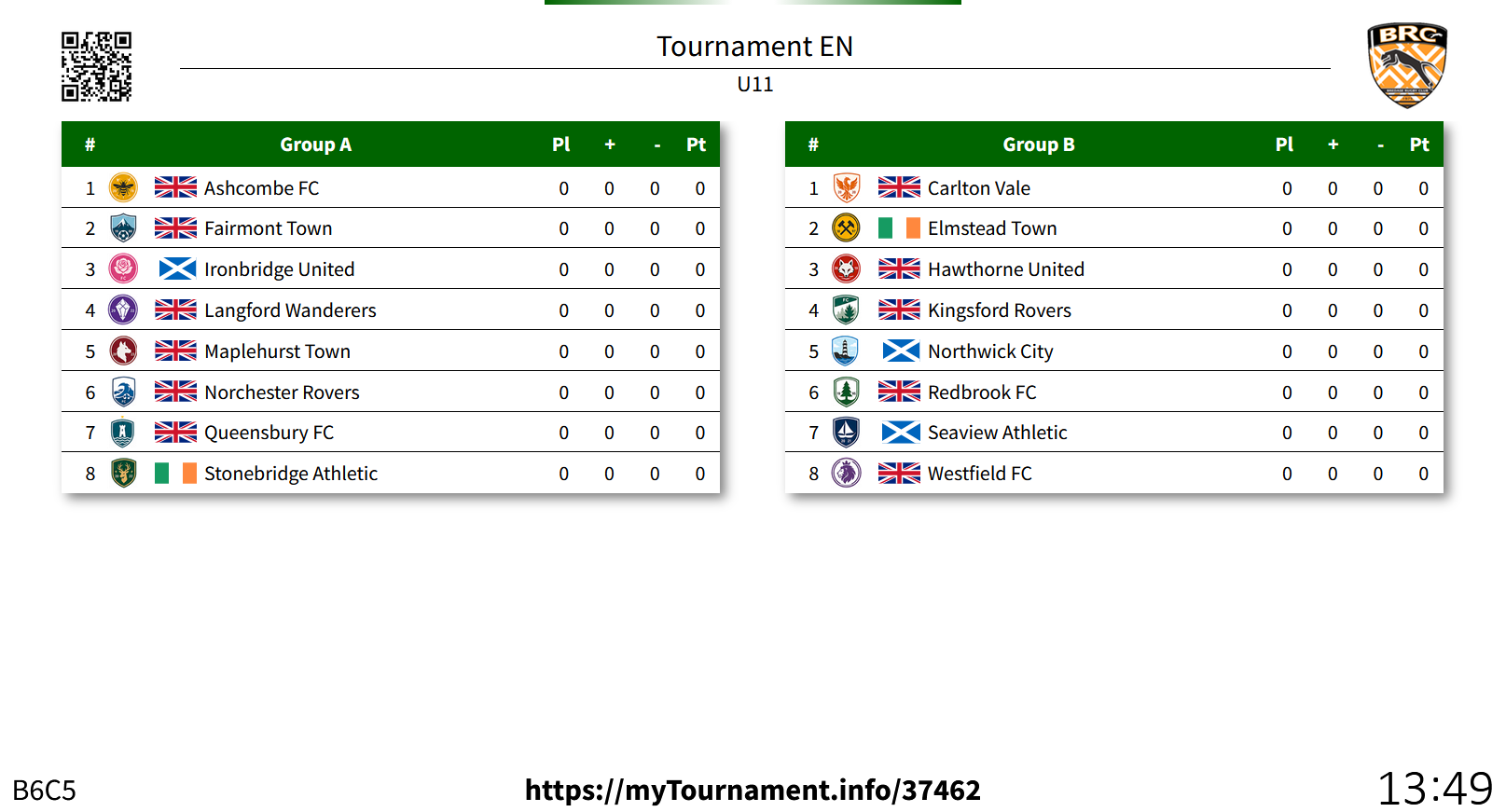
Presentation screen with matches and standings
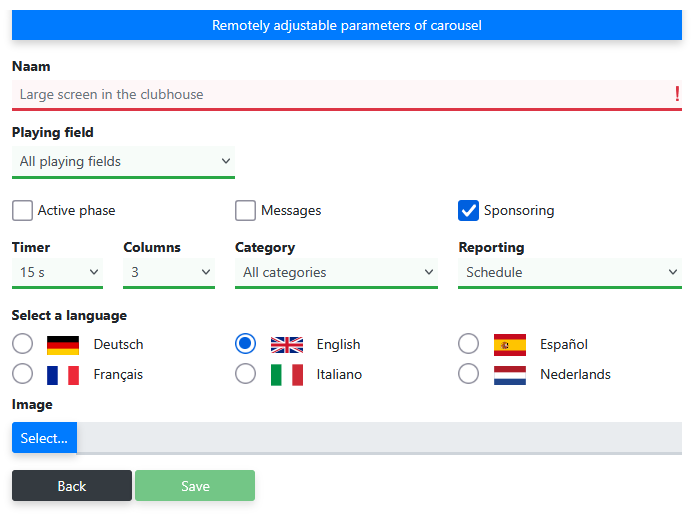
Settings screen carousel parameters presentation screen

Presentation screens

Use large screens in the canteen, sports hall or at the entrance as an information channel for supporters and participants. Matches, standings, sponsors and messages alternate automatically.

Configure multiple screens per tournament
Automatic rotation of matches, standings, sponsors and messages
Publish messages directly on screens and visitor page
Set brand colours for visitor and presentation pages
Control screens remotely — adjustments are immediately visible without physical access to the screen

Supplementing the visitor page

Complete the visitor page with relevant documents and adjust the colours so the page matches the look of your tournament or organisation.
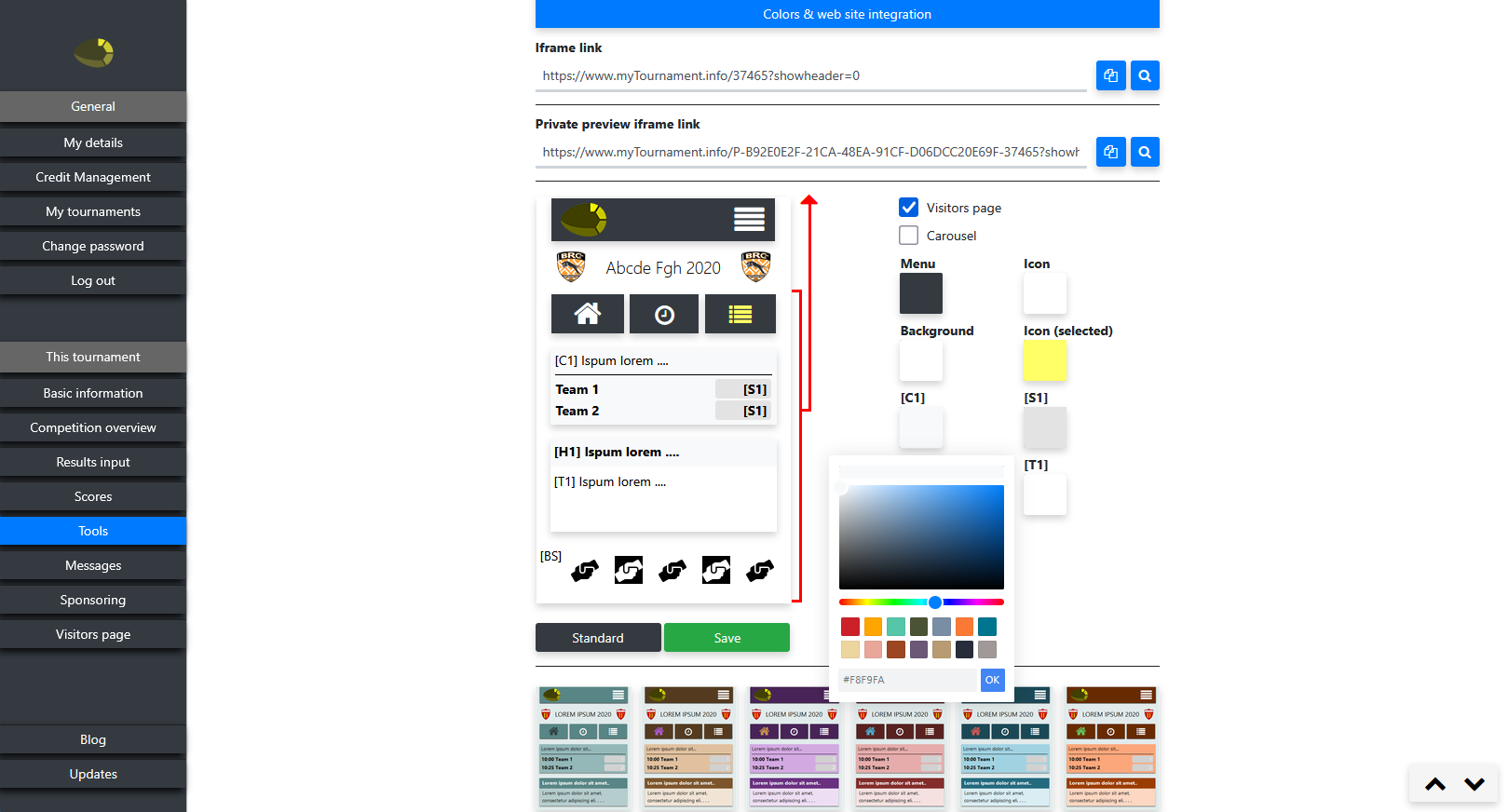
Add PDF documents — such as programme booklets, tournament regulations and referee briefing
Set brand colours for visitor and presentation pages
Manage sponsor logos, names and links
Supplementing visitor page with documents and colours

Reports and exports

All important tournament information can be exported as PDF or spreadsheet — clear for the organisation and useful for federation registration or archiving.

Match schedule
Cross tables
Standings
Final ranking
Fair play
Participant lists
Team member lists
Participant information sheets
Changing room information
Matches per field

Frequently asked questions about managing a tournament

Yes. In the match overview you can drag matches and activities to a different time slot or field. You can also move all matches from a certain time forward or backward at once.

Reset the match schedule of the relevant category, add the team and regenerate the category. The other categories remain untouched.

Yes. The organiser can set that teams enter their own result via the visitor page. Only when both teams have entered the same result will it be processed.

The system takes into account the availability and restrictions per referee. If team names have been entered as referee names, the system automatically ensures that teams do not officiate at their own matches or club matches.

Yes. Most reports are available as both PDF and spreadsheet. This allows you to easily process data for federation registration or archiving.

Ready to organise your tournament?

Create a free tournament with up to 8 teams and experience for yourself how easy the management is.